Table of Contents
- Why Downtime Costs Matter During Industrial Facility Upgrades
- Industrial Shutdown Planning: The Foundation for Minimal Downtime
- Phased Facility Upgrades: Breaking Work Into Manageable Stages
- Construction Scheduling for Operating Facilities
- Plant Upgrade Checklist: Essential Pre-Work Steps
- Reducing Changeover and Restart Time
- Monitoring, Testing, and Commissioning Post-Upgrade
- Contingency Planning and Business Continuity
- Frequently Asked Questions
Last Updated: October 13, 2026
Why Downtime Costs Matter During Industrial Facility Upgrades
Downtime during an industrial facility upgrade can cost thousands of dollars per hour. At MLJ Construction Ltd., we understand that minimizing downtime during industrial facility upgrades isn’t optional, it’s essential to your bottom line.
The stakes are high. A manufacturing plant running at partial capacity during an upgrade loses output, but a complete shutdown can cascade into missed deadlines, broken contracts, and damaged reputation.
This guide walks you through proven strategies to keep production running and reduce costly shutdowns.
Industrial Shutdown Planning: The Foundation for Minimal Downtime
Effective shutdown planning starts weeks before the first tool arrives on-site. You need to map out exactly what will stop, when it will stop, and how you’ll maintain critical operations around it.
Assessing production impact and critical-path dependencies
Start by identifying which equipment and processes are truly critical. Not every machine is equal. Some operations can pause for days without consequence. Others affect your entire production flow.
Map your facility’s critical path:
- List every piece of equipment involved in your main production process
- Identify bottlenecks where a single machine failure stops everything
- Document dependencies: which machines feed into which
- Note lead times for parts or materials that depend on continuous production
This isn’t theoretical. If your conveyor system feeds three packaging lines, and the conveyor goes down during an upgrade, all three lines stop. That’s a bottleneck. Upgrade planning must account for it.
Identifying equipment failure risks and bottlenecks
Equipment fails. Upgrades introduce risk. Your job is to predict where and when.
Review your maintenance history:
- Which machines have failed most often in the past year?
- How long do repairs typically take?
- What spare parts are hardest to source quickly?
During an upgrade, your maintenance team may be stretched thin. They’re managing both the upgrade work and keeping existing equipment running.
Bottlenecks deserve extra attention. If one machine controls throughput for your entire facility, plan for redundancy or staged shutdowns that keep it running as long as possible.
Create a “critical equipment map” showing which machines feed into which. This visual makes it obvious where bottlenecks exist and which equipment to protect during upgrades.
Phased Facility Upgrades: Breaking Work Into Manageable Stages
The biggest mistake is treating an upgrade as a single event. Instead, break it into phases. Each phase shuts down a section while the rest keeps running.
Sequencing work to maintain partial production capability
Divide your facility into zones. Upgrade one zone while others produce. This keeps your facility partially operational and generates revenue during the upgrade period.
Example phasing:
- Phase 1: Upgrade electrical infrastructure in the east wing (west wing runs at full capacity)
- Phase 2: Upgrade HVAC and structural steel in the west wing (east wing resumes full capacity)
- Phase 3: Integrate new systems and test across the entire facility
Each phase should take 2-4 weeks, depending on scope. Shorter phases mean faster ramp-up between stages and less risk of production delays.
The key is sequencing. You can’t upgrade structural steel while equipment sits on the floor.
Planning cutover and system validation between phases
Between each phase, you need a cutover period. This is when you switch from old systems to new ones, validate everything works, and prepare for the next phase.
Build cutover time into your schedule:
- Allow 3-5 days after each major phase for testing and validation
- Run production at reduced capacity during cutover to catch problems early
- Document everything: which systems are live, which are offline, what’s been tested
- Get sign-off from operations and maintenance teams before moving to the next phase
Cutover is where most delays happen. Equipment doesn’t integrate smoothly. Software doesn’t talk to hardware. A conveyor system runs at the wrong speed.
Start cutover testing early. Don’t wait until the phase is complete. Test subsystems as they’re installed so you catch problems before the entire phase is done.
Skipping validation between phases is the fastest way to create catastrophic downtime. A single untested integration failure can force a complete facility shutdown while you troubleshoot. Budget time for thorough testing at every phase boundary.
Construction Scheduling for Operating Facilities
When your facility stays open during construction, timing is everything. Schedule work around your production peaks and valleys.
Timing work during low-demand production periods
Most facilities have predictable demand cycles. Some months are busy. Others are slow. Schedule your major upgrade work during the slowest periods.
Identify your facility’s demand pattern:
- Which months have lowest production volume?
- Which days of the week see lowest output?
- Which shifts could be consolidated or temporarily reduced?
If your facility runs three shifts during peak season but only two during winter, schedule your upgrade for winter.
Coordinate with your sales and operations teams. They know when demand peaks. They can tell you which weeks offer the most flexibility for shutdowns.
Coordinating with production teams on access and safety zones
Construction and production don’t mix well. You need clear boundaries and communication.
Establish safety zones before work starts:
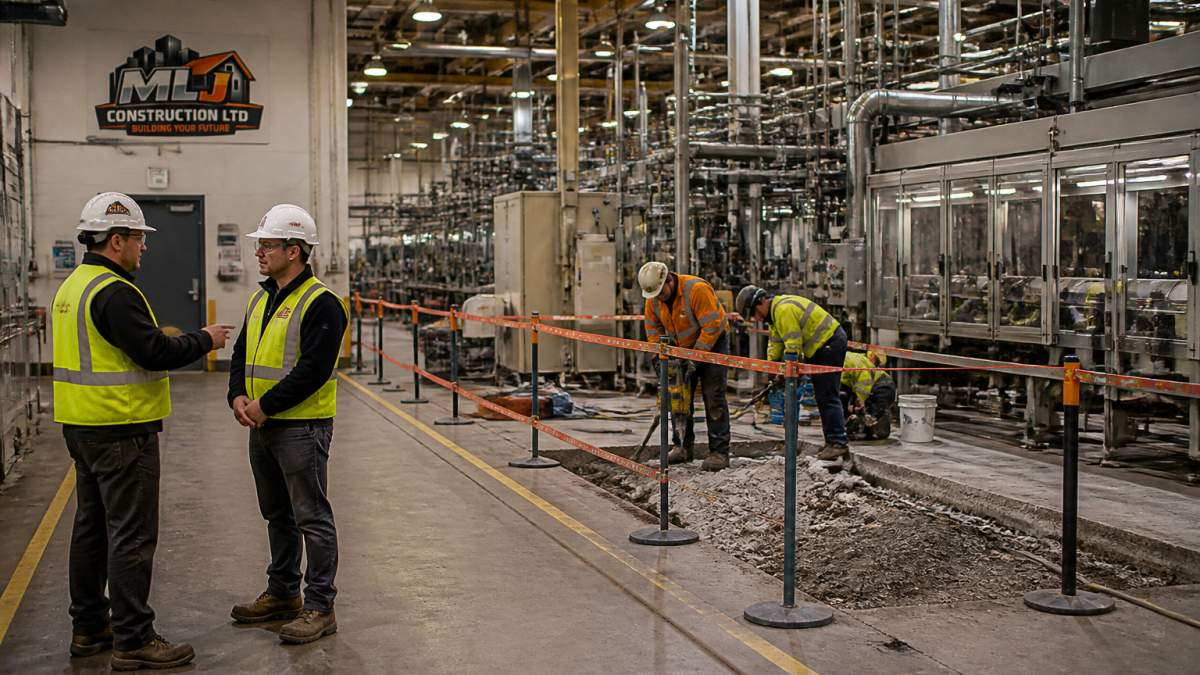
- Mark off construction areas with barriers and signage
- Create separate routes for construction crews and production staff
- Schedule construction work outside peak production hours when possible
- Brief all staff on new safety protocols and restricted areas
Production teams need predictable access to their equipment. Construction crews need unobstructed work areas. These goals conflict. Resolve conflicts upfront through detailed coordination.
Hold weekly coordination meetings between construction management, production supervisors, and safety officers. Discuss what work is happening next week, what areas will be blocked, and what precautions everyone needs to take.
The difference between a smooth upgrade and a disaster is communication. When construction and production teams talk weekly and respect each other’s constraints, downtime drops dramatically.
Plant Upgrade Checklist: Essential Pre-Work Steps
Before the first nail is driven, complete these critical preparation steps.
Equipment servicing and spare parts inventory
Service all equipment before the upgrade begins. You don’t want critical machinery breaking down while your maintenance team is focused on the upgrade.
Pre-upgrade equipment checklist:
- Perform preventive maintenance on all critical machinery
- Replace worn bearings, belts, and seals on high-use equipment
- Stock spare parts for equipment most likely to fail (bearings, motors, sensors, conveyor belts)
- Test all backup systems and redundant equipment
- Verify that maintenance staff know how to operate new equipment post-upgrade
- Document current equipment settings and performance baselines
Spare parts are critical. During an upgrade, your supply chain may be disrupted. Stock parts for at least 30 days of normal operation. If a conveyor belt fails mid-upgrade, you don’t want to wait two weeks for a replacement.
Workforce cross-training and contractor coordination
Your existing staff can’t do everything. You’ll need contractors. But contractors need guidance, and your staff needs to learn new systems.
Cross-training plan:
- Train your maintenance team on new equipment before contractors leave
- Create written procedures for operating upgraded systems
- Assign one staff member as the primary contact for each contractor
- Schedule contractor handoff meetings where they teach your team the new system
- Document contractor responsibilities and timelines in writing
Contractors come and go. Your staff stays. Make sure your team understands the new systems well enough to troubleshoot problems and perform basic maintenance.
For large upgrades, hire a construction manager to coordinate contractors, manage the schedule, and ensure quality.
Reducing Changeover and Restart Time
Changeover is when you switch from old equipment to new. Restart is when you bring production back online. Both are expensive.
Minimize changeover time by:
- Pre-staging new equipment and materials in the work area before shutdown
- Running dry runs of new equipment before the actual changeover
- Having all tools, spare parts, and documentation on-site and organized
- Assigning a dedicated team to the changeover (don’t pull people off other tasks)
- Creating a detailed changeover checklist with time estimates for each step
Restart time depends on how well you’ve validated the new system. Equipment that’s been thoroughly tested restarts faster.
Build in buffer time. If you estimate changeover will take 8 hours, schedule 12. If you estimate restart will take 4 hours, schedule 6. Real-world work always takes longer than estimates.
Monitoring, Testing, and Commissioning Post-Upgrade
After new equipment is installed, it must be tested thoroughly before production resumes. This is commissioning.
Commissioning steps:
- Functional testing: Run the equipment with no load to verify basic operation
- Integration testing: Connect new equipment to existing systems and test data flow
- Performance testing: Run the equipment under realistic production conditions and measure output, speed, and quality
- Safety testing: Verify all safety systems, emergency stops, and interlocks work correctly
- Documentation: Record all test results and create operating procedures for your staff
Don’t skip testing. A machine that runs in isolation may fail when connected to the rest of your facility. Test everything before declaring the upgrade complete.
Use monitoring technology to track performance post-upgrade. Install sensors on critical equipment to measure temperature, vibration, and output. These sensors alert you to problems before they cause downtime.
Contingency Planning and Business Continuity
Despite perfect planning, things go wrong. Equipment fails. Contractors miss deadlines. Unexpected problems surface. You need a backup plan.
Contingency planning checklist:
- Identify which production processes could be outsourced temporarily if your facility fails
- Maintain contact information for backup suppliers and contractors
- Keep a reserve budget (typically 10-15% of upgrade cost) for unexpected issues
- Document which customers could accept delayed orders and which cannot
- Create a communication plan for notifying customers if delays occur
- Establish roles and responsibilities for your crisis management team
Business continuity means your facility can operate at reduced capacity if something goes wrong. This might mean:
- Running a single production line instead of three
- Extending shift hours to make up lost production
- Temporarily outsourcing non-critical work
- Accepting slightly lower quality temporarily to maintain output
Have these options documented and ready before the upgrade starts. When a crisis hits, you execute the plan instead of improvising.
Minimizing downtime during industrial facility upgrades requires careful planning, clear communication, and realistic scheduling.
MLJ Construction Ltd. specializes in industrial contracting and construction management for exactly this kind of work.
Frequently Asked Questions
What is the best way to phase an industrial facility upgrade to minimize downtime?
Break the upgrade into distinct phases that allow partial production to continue. Sequence work so that critical equipment remains operational during each phase. Plan cutover activities between phases to test new systems and validate functionality before fully transitioning. Coordinate phasing with your production schedule to align major work with naturally lower-demand periods. This approach reduces total downtime and spreads operational impact across a longer timeframe rather than one extended shutdown.
How do you plan construction work around ongoing production in an industrial facility?
Start with a detailed industrial shutdown plan that identifies which equipment and processes are critical to production. Map out dependencies and bottlenecks to understand what can be disrupted safely. Schedule work during low-demand periods whenever possible. Create clear access routes and safety zones that separate construction activity from active machinery. Establish communication protocols between your construction team and plant operations staff. Assign a dedicated coordinator to manage daily scheduling and resolve conflicts between construction and production needs in real time.
What should a plant upgrade checklist include to prevent unexpected delays?
Your checklist should cover equipment servicing and spare parts inventory before work begins, ensuring machinery is in optimal condition and backup components are on hand. Include workforce cross-training so plant staff can operate equipment during reduced staffing periods. Verify that contractors understand facility-specific safety requirements and regulatory compliance obligations. Confirm that all required permits are in place and inspections are scheduled. Document existing equipment specifications and operational parameters so you can validate new systems against baseline performance. Schedule a pre-construction meeting with all stakeholders to align on timelines, communication channels, and contingency triggers.
How can preventive maintenance and condition monitoring reduce downtime during an upgrade?
Conduct preventive maintenance on all production equipment before the upgrade begins so machinery is in peak condition when the project starts. Use condition monitoring technology to track equipment health throughout the upgrade and identify early warning signs of failure. This allows you to address minor issues before they escalate into major breakdowns that extend downtime. Maintain detailed maintenance records to inform phasing decisions and help your team anticipate which equipment may need servicing during specific project phases. Predictive maintenance data also helps you allocate resources more effectively and plan recovery time between phases.